
An editor, not a generator
Most tools sold as AI video now make video: you type a prompt and a model invents footage. Vantacut does the opposite job. It starts from the hours of footage you already shot at an event and makes the first cut of a highlight reel from it. If a moment is not in your footage, it is not in the reel. Auto-Edit only uses the clips you give it. The guide to AI video editors and generators sets the two jobs side by side.
That matters when the film belongs to someone. A couple wants their own vows, not a plausible ceremony. A company wants its own keynote, not a stock crowd. The value of an event film is that it really happened, so the AI's job is to find the best of what you captured and put it in order, quickly, then hand it back to you.
Vantacut is also a complete editor in its own right. The reel lands on an ordinary timeline, and everything after that is normal editing: trimming, reordering, colour, titles, effects, masks, keyframes and export. The AI makes the first cut. You make the film.
How an Auto-Edit run works
A reel takes five stages, all inside one project.
1. Import
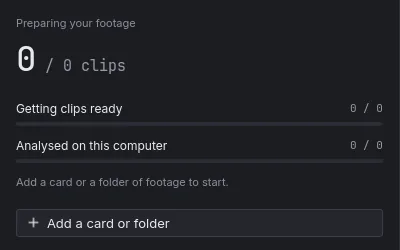
Add a card or a folder of footage. Clips are read from your drive, never copied, so a long shoot does not double on disk. Skim any tile to scrub through it, and mark In and Out right in the bin. Heavy footage gets light proxies, so playback stays smooth on an ordinary machine.
2. Watch
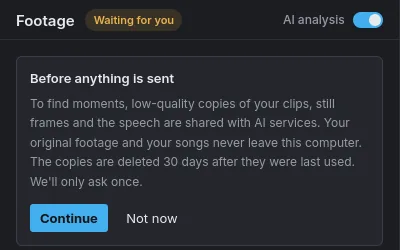
Turn on AI analysis and Vantacut watches the footage to find the best moments. The first pass runs on your computer. Only low-quality copies of your clips, still frames and the speech are shared, and the app asks once before anything is sent. Each clip is only watched once; close the app and it picks up where it left off. Speech is understood in 22 Indian languages and English, so the toasts, vows and speeches count as moments too.
3. Auto-Edit asks
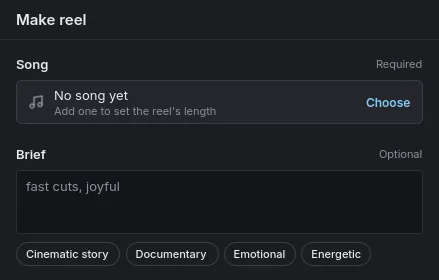
Choose a song, add a brief if you like, and press Create. Auto-Edit then asks up to three questions only you can answer: who matters, the tone, what to leave out. It never asks about cut points or codecs. Leave a question unanswered and it goes with the answer it recommends. Then it shows the plan before it cuts, so you can see the story it intends to tell.
The song sets the runtime. The reel is as long as the song, and the cuts land on its beat. Trim the song to the length your client asked for, or join songs with a cut, crossfade or gap, and the reel follows.
4. Your reel
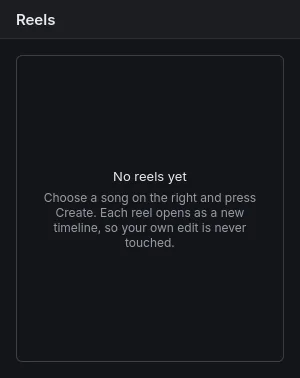
The reel opens as a new timeline, so your own edit is never touched. It checks the cut and keeps improving it while you keep working. What lands is ordinary clips on ordinary tracks, with section markers on the ruler. Trim, reorder or recolour it by hand, or undo it in one step. Keep a line of dialogue in the reel and the song ducks under it.
5. Export
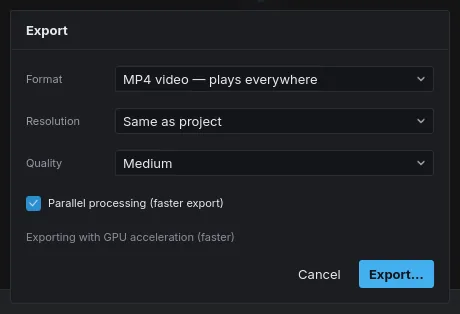
Render on your machine, from your originals, at full resolution. MP4, MOV or WebM, with GPU encoding where your graphics card supports it. There is no upload and no render queue, and editing and export keep working offline once you have signed in.
Four themes
Every run takes a theme alongside the song and the brief: Cinematic Story, Documentary, Emotional or Energetic. Pick the one that fits how the film should feel, then shape the result on the timeline. Transitions are built on real handles, using the footage past each cut, with audio crossfaded to match.
Made for events
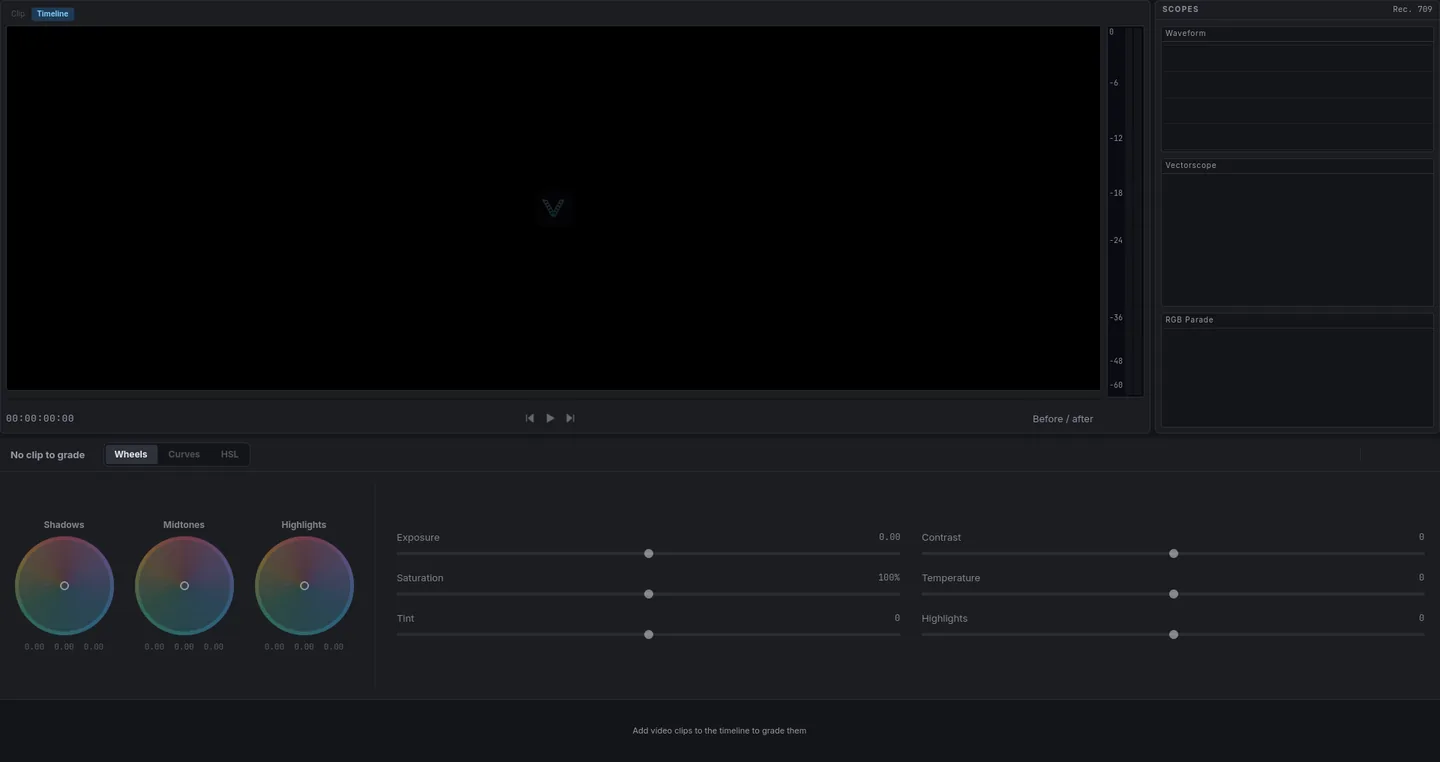
Vantacut is built for the kind of footage that piles up at events: weddings, corporate galas, concerts, stage shows, ceremonies, conferences, matches and recitals. These are long days with mixed light and a lot of speech, shot to be cut into something short. The colour page evens that out with wheels, curves, LUTs and scopes, plus Auto Balance Colour to match white balance across the cut.
The use cases walk the beats to check for each kind of day: a wedding highlight reel, a Hindu wedding film, a corporate event or a concert recap. For the whole method, read how to cut an event highlight reel.
Who it is for, and who it is not
Vantacut is for filmmakers and studios who shoot events and deliver highlight reels: the editor who has four cards from a wedding and a client waiting, or the team that films a conference and owes a recap by the next morning. Shoot today, deliver today. The editor works worldwide, in English.
It is not for making video from nothing. If you need footage of something that was never filmed, you need a generator, not an editor. And it is not a template app: there are no stock clips to drop your photos into. Everything in the reel came out of your camera. There is more on who Vantacut is for, and on how it compares with CapCut, Premiere Pro, DaVinci Resolve and Runway.
Your footage stays on your computer
Your original footage and your songs never leave your computer. Nothing is copied or moved. To find moments, Auto-Edit shares low-quality copies of your clips, still frames and the speech with its AI providers; the app asks once, before anything is sent. Finding the people in your footage is its own switch: faces are detected on your computer, and a few face pictures of people who appear often are shared, to ask you who is who.
What it costs
The editor is free with a Vantacut account, including the colour page and export. Only Auto-Edit uses credits, charged by the minute of new footage and of the reel it makes. See pricing for the rates and the credit packs.
Get the editor
Vantacut runs on Windows and Linux, with macOS coming. Download it, create your account when it first opens, and cut your next reel.