
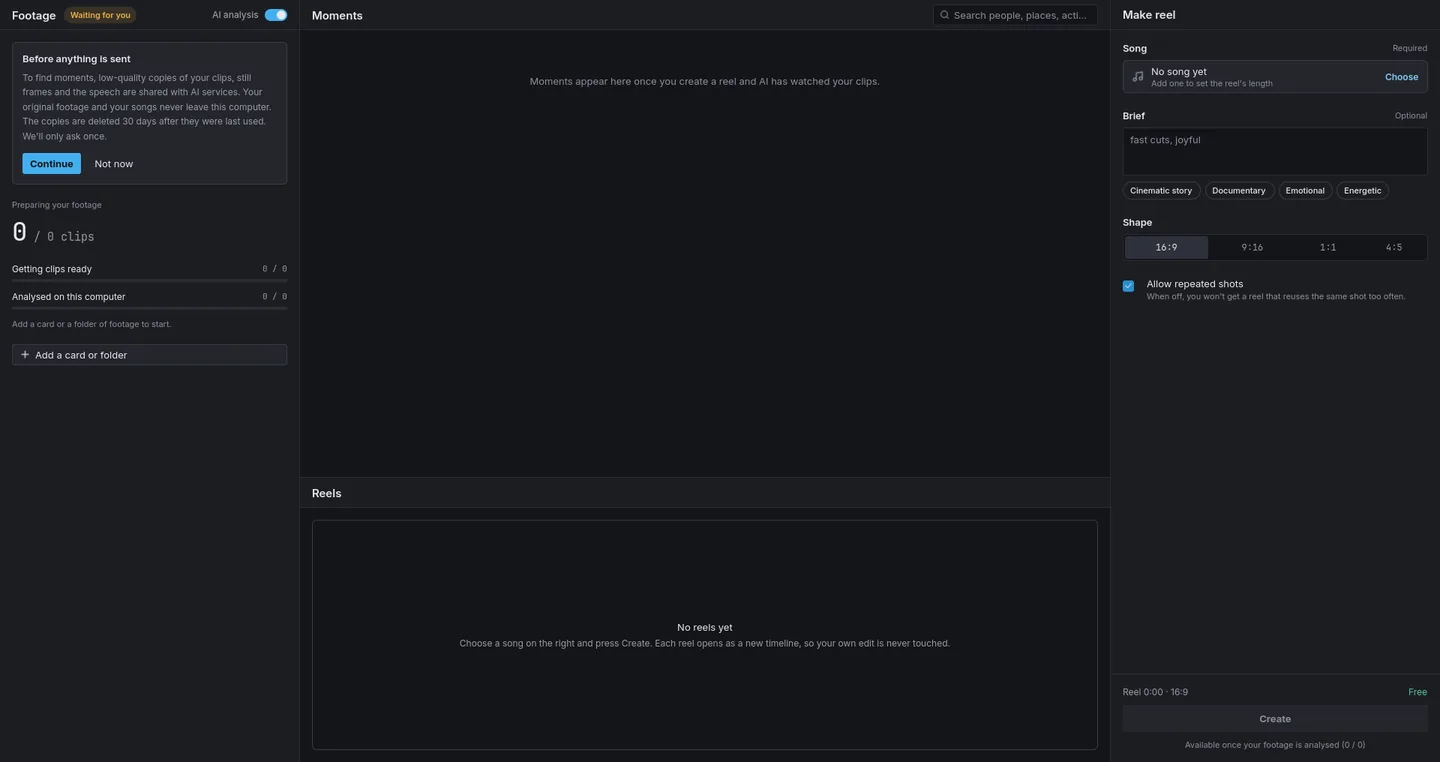
Auto-Edit
A first cut from your footage, one song and a brief.
It watches the footage for the best moments, plans the story to the song’s length, and checks the cut as it makes it.
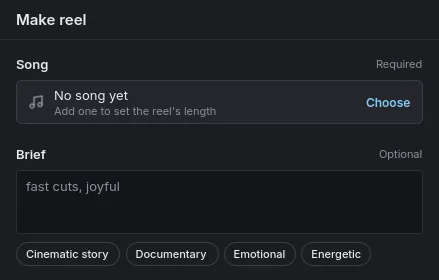
- Cinematic story
- Documentary
- Emotional
- Energetic
AI video editor · Windows & Linux
Load the whole shoot and one song. Vantacut Auto-Edit watches the footage, asks you what matters, and lays the reel on a real timeline you can change.
Free editor · Sign in to start · Auto-Edit on credits

Made for weddings, corporate galas, concerts, stage shows, ceremonies, conferences, matches, recitals.
00:01:00How it works
Add a card or a folder of footage. Clips are read from your drive, never copied.
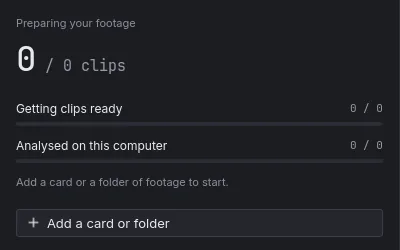
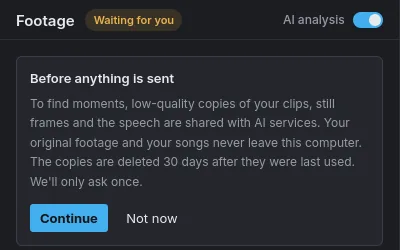
Turn on AI analysis and Vantacut watches the footage to find the best moments. The first pass runs on your computer.
Choose a song, add a brief if you like, and press Create. It asks up to three questions only you can answer, then shows the plan.
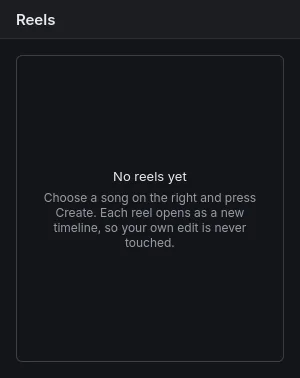
The reel opens as a new timeline, so your own edit is never touched.
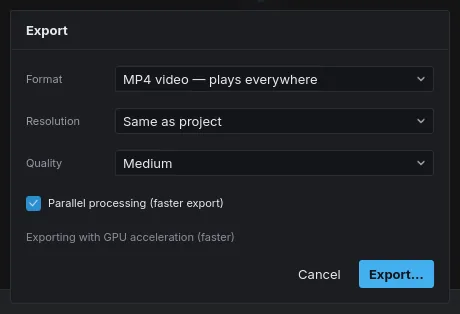
Render on your machine, from your originals, at full resolution.
Hours of footage. One song. A few questions only you can answer — then a reel you can actually edit, waiting on your timeline.
00:02:00The editor
Auto-Edit
It watches the footage for the best moments, plans the story to the song’s length, and checks the cut as it makes it.
It asks first
Up to three questions on what only you know — who matters, the tone, what to leave out — then it shows the plan before it cuts.
Music sets the length
The song’s length sets the reel’s length, and the cuts land on its beat. Trim it, or join songs with a cut, crossfade or gap.
It hears the speeches
Keep a line of dialogue in the reel and the song ducks under it.
Colour page
Wheels, curves, LUTs and scopes, plus Auto Balance Colour to even out white balance across the cut.
Transitions
Dissolves, wipes, push, zoom and more, using the footage past each cut, with audio crossfaded to match.
A real timeline
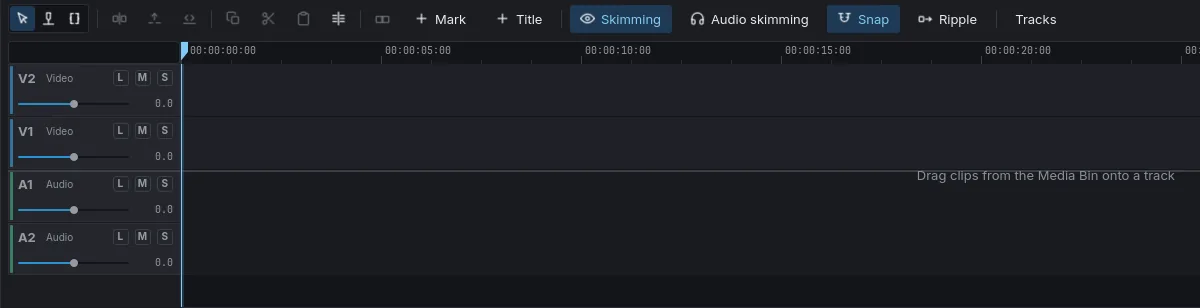
Ordinary clips on ordinary tracks, opened as a new timeline. Trim, add titles, effects, masks and keyframes — or undo the whole reel in one step.
00:03:00Local-first
Editing, playback and export happen on your machine, from your originals. Only Auto-Edit shares anything from your footage, and never a full-resolution frame.
00:04:00Testimonials
One is time, which is very powerful, one is energy, and one is money. When you are getting all these 3 in a very simplified solutions, why not use that?
With Vantacut, spend less time in editing, spend more time in creating.
Within 3 to 4 hours, it will finish the video itself. So, this software is very helpful during the season time.
If it takes two-three days to edit with other software, it gets completed within two-three hours with this.
After I started using this Vantacut, within a few hours, it edited the complete footage for me. So, because of that, I can give on-day delivery to the clients.
It’s no less than any pro editor.
I started getting more orders. I also started building up client relationships well.
Thanks for saving my time, Vantacut software.
00:05:00Pricing
Editor
Free
with a Vantacut account · credits only for Auto-Edit
Auto-Edit credits · by the second
Credit packs
| Pack | Credits | Price |
|---|---|---|
| Creator | 1,000 | ₹899 |
| Studio | 4,000 | ₹3,199 |
| Studio Plus | 12,000 | ₹8,999 |
Prices in Indian rupees. Buy a pack in the app, under Top up.
00:06:00FAQ
No. Your original footage and your songs never leave your computer. To find moments, Auto-Edit shares low-quality copies of your clips, still frames and the speech with the AI services it uses. The app asks once, before anything is sent.
Yes, a free one. Press Create account when Vantacut first opens and finish in your browser. Sign in once and editing keeps working offline.
Only what it cannot work out from the footage: who matters most, the tone, what to leave out. Up to three questions, each with a recommended answer, and then it shows the plan before it cuts.
The song’s length sets the reel’s length, and Vantacut cuts your footage to its beat. Trim it, or join songs with a cut, crossfade or gap, and the reel follows.
Yes. It opens as a new timeline of ordinary clips on ordinary tracks, so your own edit is never touched. Trim, reorder or recolour it by hand, or undo it in one step, then export with Ctrl+E.
Speech in 22 Indian languages and English, detected automatically. The app itself is in English.
No. If it is not in your footage, it is not in the reel. Auto-Edit only uses the clips you give it.
Windows and Linux now, worldwide. Credit packs are priced in Indian rupees. macOS is coming — leave your details below to hear first.
Write to support@vantacut.com. Help → About → Open Logs finds the log file; attach it.
00:07:00Download
Shoot today, deliver today. The editor is free on Windows and Linux; create your account when you first open it. macOS is coming soon.
Choose your platform
Pick a platform to see the current version.